> For the complete documentation index, see [llms.txt](https://docs.styleai.io/llms.txt). Markdown versions of documentation pages are available by appending `.md` to page URLs; this page is available as [Markdown](https://docs.styleai.io/product-docs/product-docs-en/individual-member/delete-account.md).
# Delete Account
{% hint style="danger" %}
**Membership cancellation precautions**
You cannot cancel your membership immediately in the following cases. Please check and try again.
* **If you are subscribed to the service**
* Please cancel your subscription first via \[Cancel Subscription].
* **If you started your subscription today**
* Cancellation is restricted on the day of subscription. Please try again tomorrow.
{% endhint %}
{% stepper %}
{% step %}
#### Click the profile picture at the top to see \[My account].
{% endstep %}
{% step %}
#### Click the \[Delete] button at the bottom of the \[My account] page.
{% endstep %}
{% step %}
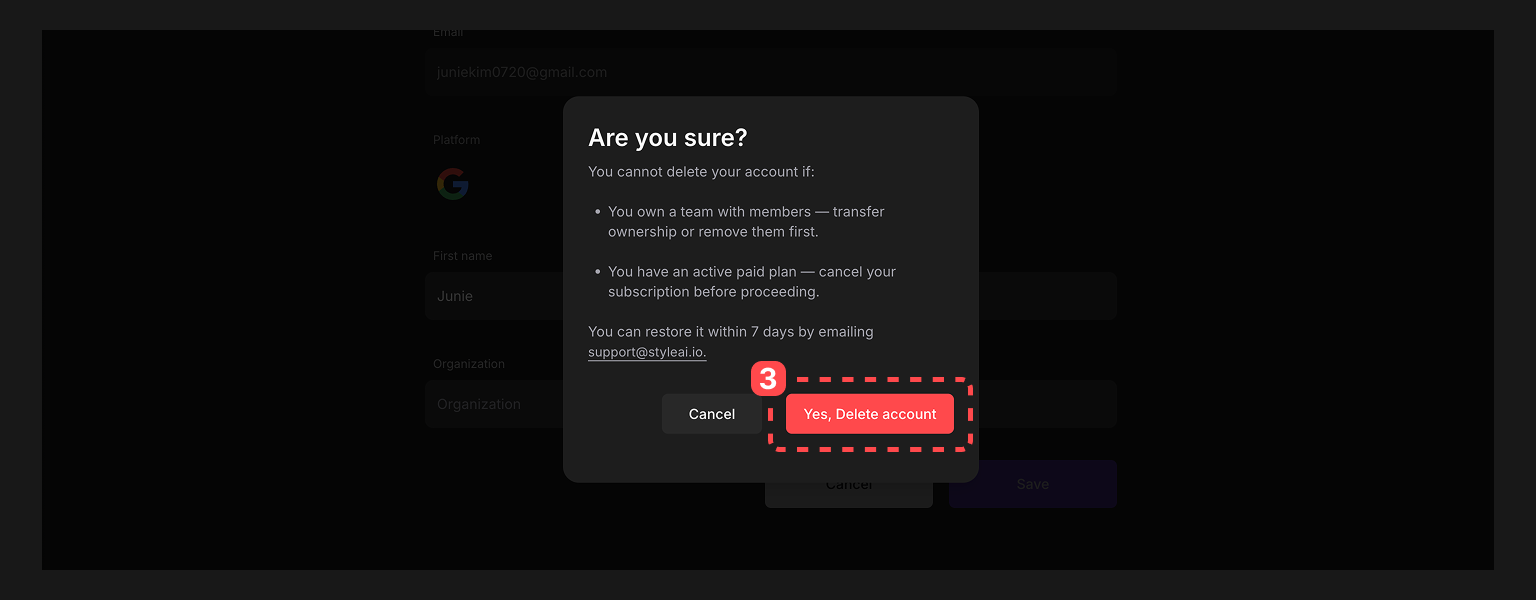
#### Click the account deletion button.
{% endstep %}
{% step %}
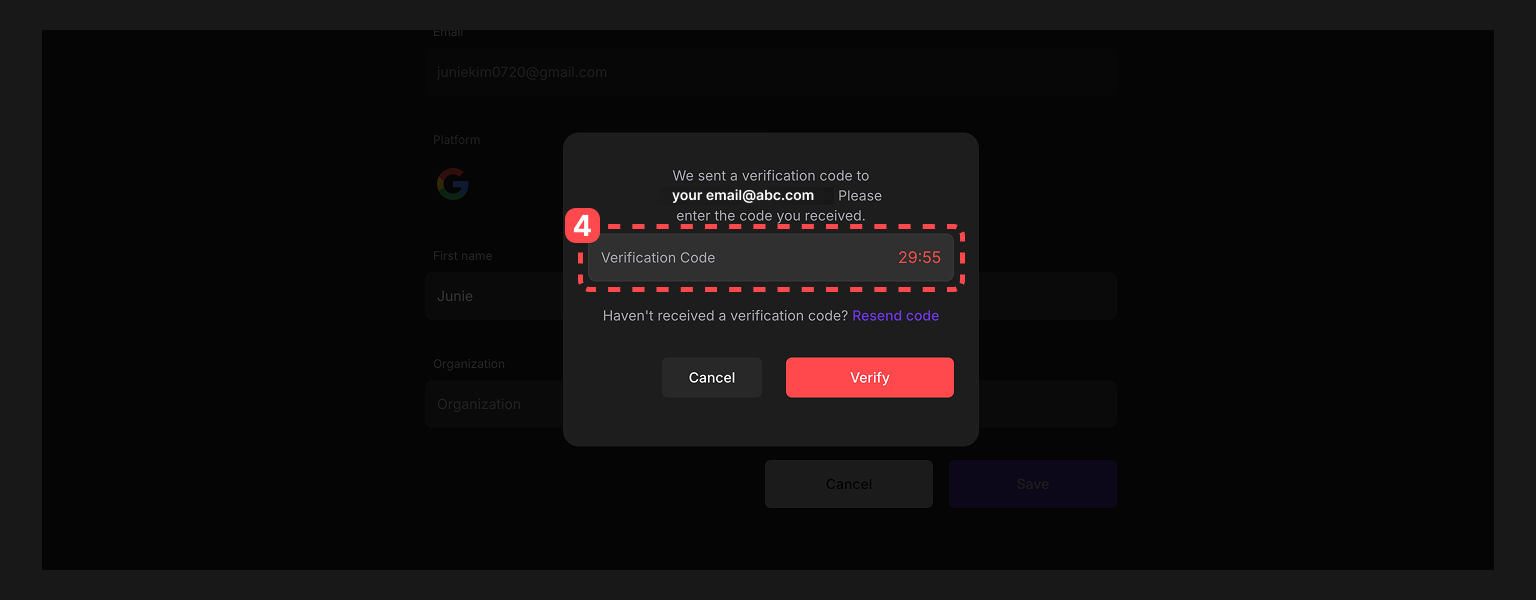
#### When you click, a verification code will be sent to the email account you used to register.
{% endstep %}
{% step %}
#### Copy and enter the verification code to complete the account deletion process.
{% endstep %}
{% endstepper %}